5 from 18 votes
Easy Spam Kimchi Jjigae
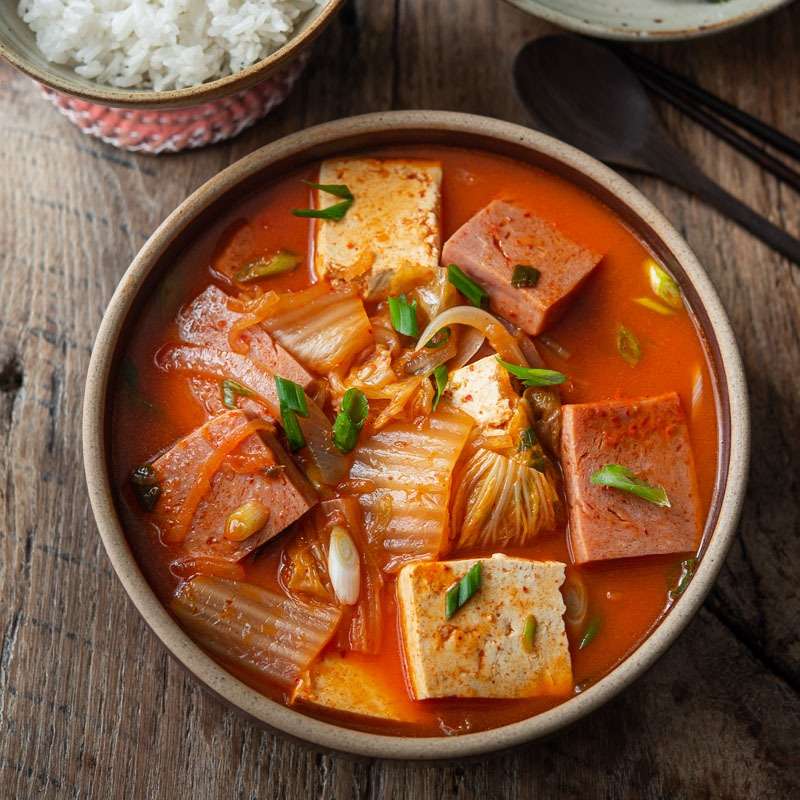
Easy Spam Kimchi Jjigae is a hearty Korean stew combining fermented kimchi, savory chicken stock, onions, and Spam slices. The kimchi's acidity and kimchi juice infuse the broth with a distinct tang and spice. Adding tofu softens the texture and balances the flavors, making it a warming dish typically served hot with rice.
Prep Time
5 mins
Cook Time
15 mins
Total Time
20 mins
Servings:
6
people
Course:
Main Course, Soup
Cuisine:
Korean
Ingredients
- 1 onion sliced, small
- 1 1/2 lb fermented cabbage kimchi diced
- 3 tbsp kimchi juice see note below, kimchi liquid
- 2 1/2 to 3 cup chicken stock low sodium
- 1 can (12 oz) SPAM low sodium, sliced
- 1/2 lb tofu sliced, optional, soft
- 1 green onion to garnish, optional
Instructions
- In a soup pot, put onion and kimchi and toss together. Pour kimchi juice (liquid from kimchi) over.
- Pour chicken stock over enough to cover kimchi and onion in a pot. Bring the stew to boil over high heat, then reduce the heat to low. Cover with a lid and simmer for 10 minutes until kimchi gets tender.
- Arrange Spam slices on top. Cover with a lid and simmer for 10 minutes until kimchi gets tender.
- Add tofu slices and simmer the stew again for another 5 minutes or until everything is soft and all the flavors are mingled. Garnish with chopped green onion at last. Serve the stew hot with rice.
Cup of Yum
Notes
- Balance strong sourness in kimchi by adding one teaspoon of sugar.
- Add 1/2 tablespoon Korean chili flakes to increase heat and deepen red color.