0 from 0 votes
How to Cook Rice - The Ultimate Guide
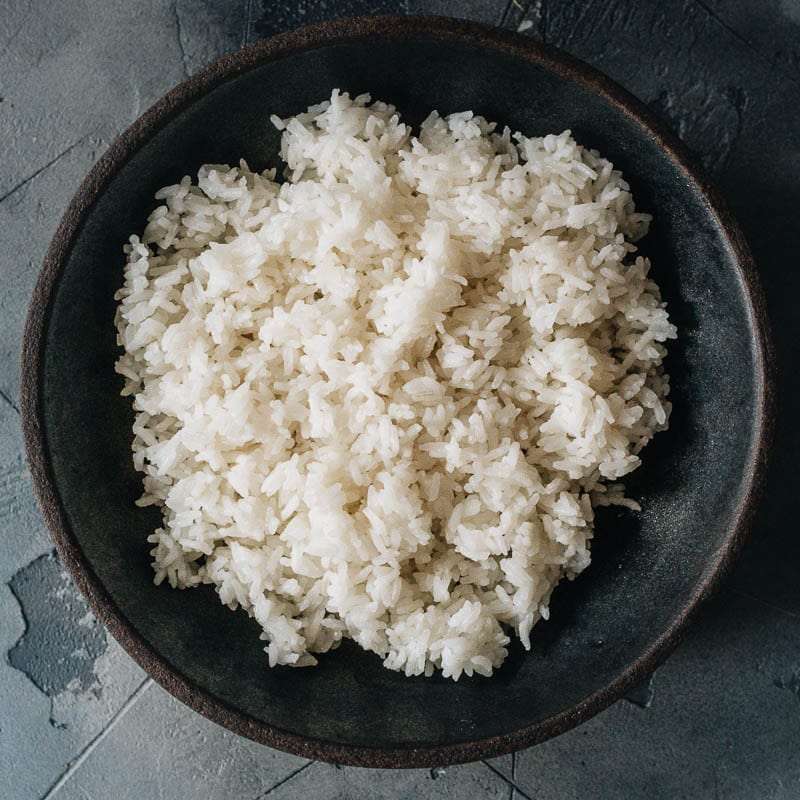
This is the ultimate guide on how to cook rice. In this guide, you will find detailed information on how to cook short grain, medium grain, long grain, and jasmine rice in a rice cooker, on the stove top, or in an Instant Pot. I also included the rice-water ratios and a cooking time chart, plus notes on how to adjust the rice texture, storage, and more!
Prep Time
5 mins
Cook Time
15 mins
Total Time
20 mins
Servings:
2
servings
Calories:
338 kcal
Course:
Side Dish
Cuisine:
Chinese
Ingredients
- 1 cup ((250 ml) white rice
- water (see the chart in the post above for the quantity)
Instructions
Prepare the rice for cooking
- Add the rice into a big bowl and add tap water to cover the rice by 1” (2.5 cm). Insert your fingers into the rice and gently swirl in a circular motion a few times. Drain the water. And repeat the process 1 to 2 times. Once done, use your palm to block the rice from falling into the sink, and drain off as much as water you can.
Cup of Yum
Cook rice on the stove top
- Transfer the washed rice to a pot. Pour in water and gently shake the pan so the rice forms an even layer, with water fully covering the rice.
- Turn on medium heat and cook until the water comes to a full boil. Cover the pan and turn to low heat immediately. Set the cooking time according to the chart above. Do not open the pot during steaming.
- Once done cooking, remove the pan from the stove. Let sit, covered, for another 10 minutes.
- After resting the rice, use a fork or spatula to fluff the rice. If there’s a bit of moisture left in the pot, you can cover the pot again and let it rest a bit more.
- Keep the cover on until you’re ready to serve the rice.
Cook the rice in an Instant Pot
- Transfer the rice into your Instant Pot. Pour in water and gently shake the inner pot so the rice forms an even layer, with water fully covering the rice. Cover the pot and twist the lid to lock it. Make sure the valve is pointed to seal.
- Click manual, set the pressure to high, and the timer to 5 minutes.
- Once done cooking, let the rice steam for 10 minutes then use fast release. Uncover the pot, then use a fork or spatula to fluff the rice.
- Keep the lid on until you’re ready to serve the rice.
Cook rice in a rice cooker
- Transfer the washed rice into your rice cooker. Pour in water according to the markings on the rice cooker pot or the instructions that came with the rice cooker. Gently shake the inner pot so the rice forms an even layer, with water fully covering the rice.
- Press the start button and let it cook. Don't open the rice cooker lid as this will allow steam to escape, which affects the cooking process.
- Your rice cooker will usually beep to let you know the rice is ready. It will automatically keep the rice warm until you switch off the machine. Fluff the rice using the rice paddle that came with the machine or a spatula once the rice is done. Cover it again until you’re ready to serve.
Nutrition Information
Serving
2g
Calories
338kcal
(17%)
Carbohydrates
74g
(25%)
Protein
6.6g
(13%)
Fat
0.6g
(1%)
Saturated Fat
0.2g
(1%)
Sodium
5mg
(0%)
Potassium
106mg
(2%)
Fiber
1.2g
(5%)
Sugar
0.1g
(0%)
Calcium
26mg
(3%)
Iron
4mg
(22%)
Nutrition Facts
Serving: 2 servings
Amount Per Serving
Calories 338
% Daily Value*
| Serving | 2g | |
| Calories | 338kcal | 17% |
| Carbohydrates | 74g | 25% |
| Protein | 6.6g | 13% |
| Fat | 0.6g | 1% |
| Saturated Fat | 0.2g | 1% |
| Sodium | 5mg | 0% |
| Potassium | 106mg | 2% |
| Fiber | 1.2g | 5% |
| Sugar | 0.1g | 0% |
| Calcium | 26mg | 3% |
| Iron | 4mg | 22% |
* Percent Daily Values are based on a 2,000 calorie diet.