5 from 3 votes
How to Make a Smoothie
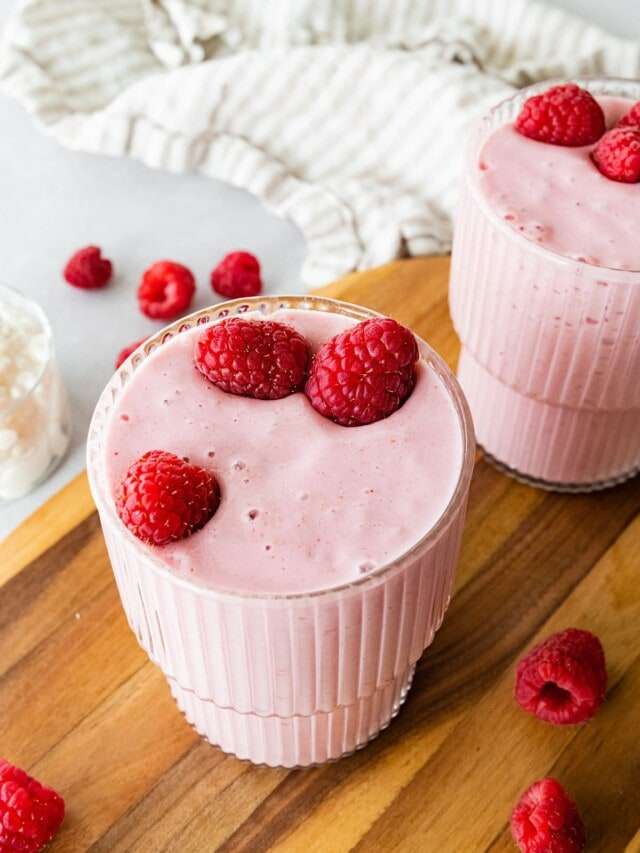
Smoothies are delicious and a quick way to get nutrients into your diet. Try my easy smoothie formula, plus 35 amazing smoothie recipes.
Prep Time
5 mins
Total Time
5 mins
Servings:
1
smoothie
Calories:
159 kcal
Course:
Breakfast
Cuisine:
American
Ingredients
- 1 banana frozen
- ½ cup frozen fruit examples: berries, mango, pineapple
- ½-1 cup milk or other liquid of choice, non-dairy or dairy
- ¼ cup Greek yogurt plain or 1 scoop protein powder
- green leafy vegetable optional; also chia seeds or flaxseed; nut butter; nuts; etc
Instructions
- Place all ingredients in a high-powered blender, starting with ½ cup milk. Blend until smooth and creamy, adding more milk as needed to get the desired thickness.
Cup of Yum
Notes
- Honey – If you like a sweeter tasting smoothie feel free to add honey, maple syrup, stevia or monkfruit, to taste.
- Dairy-free – You can use non-dairy yogurt or plant-based protein to make this smoothie dairy-free.
- Mix-ins – This is a great recipe to build off of so if you're feeling creative go ahead and experiment with other ingredients!
Nutrition Information
Serving
1smoothie (without honey)
Calories
159kcal
(8%)
Carbohydrates
34g
(11%)
Protein
7g
(14%)
Fat
1g
(2%)
Fiber
4g
(16%)
Sugar
19g
(38%)
Nutrition Facts
Serving: 1 smoothie
Amount Per Serving
Calories 159
% Daily Value*
| Serving | 1smoothie (without honey) | |
| Calories | 159kcal | 8% |
| Carbohydrates | 34g | 11% |
| Protein | 7g | 14% |
| Fat | 1g | 2% |
| Fiber | 4g | 16% |
| Sugar | 19g | 38% |
* Percent Daily Values are based on a 2,000 calorie diet.