0 from 0 votes
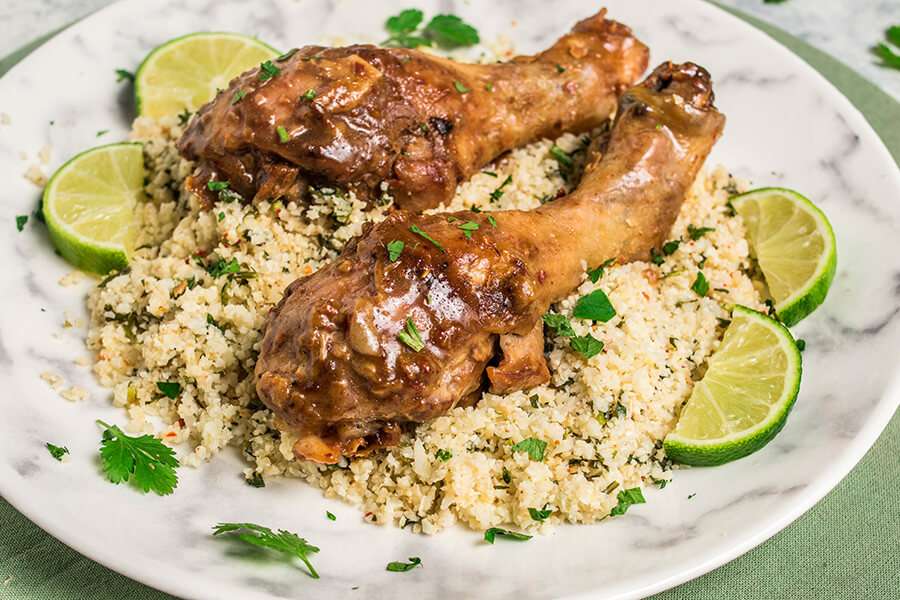
Keto Coconut Caramel Chicken
This makes a total of 4 servings of Keto Coconut Caramel Chicken. Each serving comes out to be 558 calories, 36.5g fats, 7.3g net carbs, and 44.8g protein.
Prep Time
5 mins
Cook Time
40 mins
Total Time
45 mins
Servings:
4
servings
Course:
Main Course
Cuisine:
Asian
Ingredients
Coconut Caramel Chicken:
- 24 ounce bone-in skin-on chicken drumsticks
- ½ cup allulose or sweetener of your choice
- 1 tablespoon water
- 7 ounce coconut milk ~1/2 can, canned
- ½ cup chicken broth
- 1 ½ tablespoon fish sauce or soy sauce
- 2 ½ tablespoon rice vinegar unseasoned
- ½ medium onion finely chopped
- 1 teaspoon chili flakes
- black pepper to taste
- salt to taste
Cauliflower Rice:
- 400 g cauliflower rice
- 3 tablespoons coconut oil
- 3 teaspoon garlic minced, fresh
- ½ teaspoon chili flakes
- ¼ cup cilantro finely chopped
- ½ medium lime juice and zest
Instructions
- Gather and prep all of your ingredients.
- In a pan (that you have a cover for) over medium heat, add the allulose and water. Stir frequently as it bubbles and reducing.
- Once the mixture is thickened, add in the remaining ingredients for the Caramel Chicken EXCEPT for the chicken itself.
- Stir to combine everything well, then add in the chicken drumsticks. Cover and let simmer for 20 minutes.
- After the 20 minutes, uncover the chicken and turn the drumsticks. Allow to cook, uncovered, for an additional 15-20 minutes. You will need to keep an eye on this and stir the mixture to stop the caramel from burning.
- While the chicken finishes cooking, make the cauliflower rice. Add coconut oil and garlic to a pan over medium heat. Once fragrant, add in the cauliflower rice, chili, cilantro, lime zest and salt and pepper to taste. Cook until moisture has been pulled out of the cauliflower.
- Serve the chicken on top of the cauliflower rice with extra sauce if desired. Squeeze lime juice over the top and enjoy!
Cup of Yum