0 from 0 votes
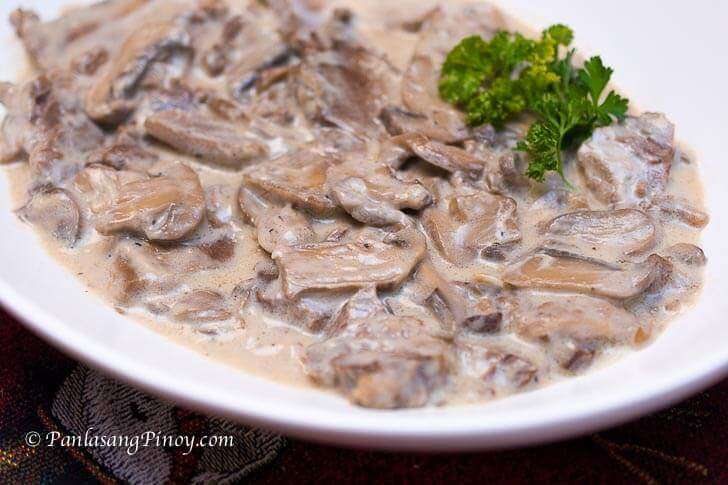
Lengua in White Mushroom Sauce
This is a recipe for Lengua in White Mushroom Sauce
Prep Time
20 mins
Cook Time
2 hrs
Total Time
2 hrs 20 mins
Servings:
6
Course:
Main Course
Cuisine:
Filipino
Ingredients
- 2 lbs. lengua ox tongue
- 3 cups beef broth or sock
- ¾ cups whipping cream
- 1 condensed cream of mushroom soup 10.5 oz. can
- 1 cup button mushrooms sliced
- 1 yellow onion chopped, large
- 5 cloves garlic crushed
- 6 cups water for boiling the ox tongue
- salt to taste
- black pepper
- 3 tablespoons neutral cooking oil generic cooking oil
Instructions
- Boil 6 cups of water in a pressure cooker. Add the ox tongue. Cover the cooker and pressure cook for 35 to 40 minutes or until tender.
- Remove from the pressure cooker. Let it cool down. Peel the outer layer off the tongue. Slice the ox tongue into thin pieces.
- Heat oil in a cooking pot.
- Saute onion and garlic.
- Add the sliced ox tongue. Cook for 2 minutes.
- Pour the condensed cream of mushroom and beef broth in the pot. Stir. Let boil. Cover and simmer for 35 minutes.
- Add the sliced mushrooms and whipping cream. Continue to cook for 40 minutes in low heat or until the liquid reduces to half and the sauce starts to thicken.
- Add salt and ground black pepper to taste.
- Transfer to a serving plate. Serve.
- Share and enjoy!
Cup of Yum
Nutrition Information
Serving
6g
Nutrition Facts
Serving: 6 Serving
Amount Per Serving
Calories
% Daily Value*
| Serving | 6g |
* Percent Daily Values are based on a 2,000 calorie diet.