5 from 6 votes
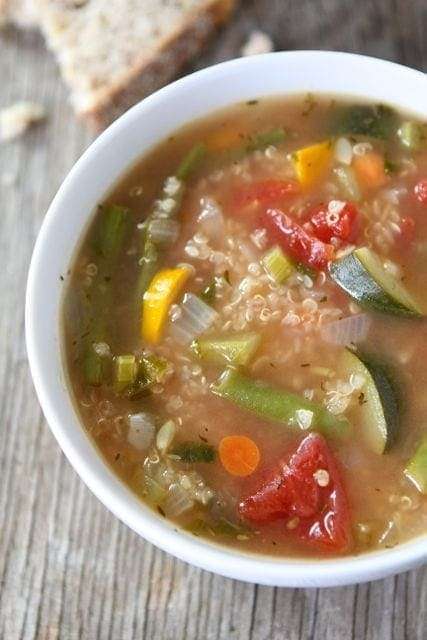
Vegetable Quinoa Soup
A healthy and hearty vegetable soup!
Prep Time
15 mins
Cook Time
40 mins
Total Time
55 mins
Course:
Soup
Cuisine:
American, Vegetarian, Vegan, gluten-free
Ingredients
- 2 tablespoons olive oil
- 1 onion diced, medium
- 2 cloves garlic minced
- 2 carrot chopped, medium
- 2 celery chopped, stalks
- 1 zucchini chopped, small
- 1 yellow squash chopped
- 1 1/2 cups Green bean broken or cut into 3/4-inch pieces, fresh
- 1 box 32 ounces vegetable broth
- 1 diced tomatoes 15 ounce can
- 2 bay leaf
- 1 teaspoon thyme dried
- 1/3 cup basil chopped, fresh
- 2 cups quinoa cooked
- salt to taste
- black pepper to taste
Instructions
- Heat the olive oil in large, heavy-bottomed stockpot over medium-low heat. Once hot, add the onion and cook until tender, about 5 minutes. Add the garlic, and cook for 2-3 minutes. Add the carrots, celery, zucchini, yellow squash, and green beans and continue to cook for 4 to 5 more minutes, stirring occasionally.
- Add the vegetable broth, diced tomatoes, bay leaves, thyme, and basil. Reduce the heat to low, cover, and cook until the vegetables are fork tender, approximately 25 to 30 minutes. Stir in the cooked quinoa and season with salt and pepper, to taste. Serve warm.
- Note: To cook the quinoa, rinse 1 cup quinoa under cold water. Add quinoa, 2 cups water, and a pinch of salt to a medium saucepan and bring to a boil over medium heat. Boil for 5 minutes. Turn the heat to low and simmer for about 15 minutes, or until water is absorbed. Remove from heat and fluff with a fork.
Cup of Yum