5 from 12 votes
How To Reheat Pulled Pork In The Air Fryer
This method reheats pulled pork in an air fryer while maintaining moisture and flavor. By adding leftover pork stock and optional barbecue sauce during reheating, the pork stays tender and avoids drying out. The recipe shows a simple way to refresh leftovers, producing juicy pulled pork that pairs well with baked potatoes and corn.
Prep Time
1 min
Cook Time
6 mins
Total Time
7 mins
Servings:
2
Calories:
493 kcal
Course:
Side Dish, Main Course
Cuisine:
International
Ingredients
Kitchen Gadgets:
- Air Fryer
Ingredients:
- 500 g pulled pork leftover Ninja Foodi
- 2 Tbsp barbecue sauce optional
Instructions
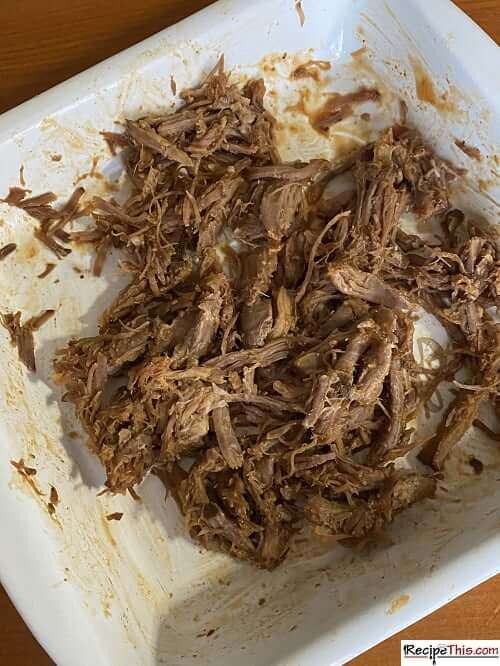
- When you have finished eating. Grab your tray of leftover pulled pork (this is how much we had left) and load into an airtight container.
- The next day, place leftover pulled pork into ramekins and pour in 1tbsp of your leftover pork stock into each of the ramekins. This will stop the pulled pork from going dry.
- Air fry for 6 minutes at 160c/320f and then drain the liquid and in extra barbecue sauce.
- Serve with baked potatoes and corn.
Cup of Yum
Notes
- Add extra barbecue sauce after reheating to revive smoky, tangy flavors and improve moisture.
Nutrition Information
Calories
493kcal
(25%)
Carbohydrates
52g
(17%)
Protein
32g
(64%)
Fat
18g
(28%)
Saturated Fat
6g
(30%)
Cholesterol
108mg
(36%)
Sodium
1670mg
(70%)
Potassium
41mg
(1%)
Fiber
1g
(4%)
Sugar
42g
(84%)
Vitamin A
414IU
(8%)
Vitamin C
5mg
(6%)
Calcium
131mg
(13%)
Iron
2mg
(11%)
Nutrition Facts
Serving: 2 Serving
Amount Per Serving
Calories 493
% Daily Value*
| Calories | 493kcal | 25% |
| Carbohydrates | 52g | 17% |
| Protein | 32g | 64% |
| Fat | 18g | 28% |
| Saturated Fat | 6g | 30% |
| Cholesterol | 108mg | 36% |
| Sodium | 1670mg | 70% |
| Potassium | 41mg | 1% |
| Fiber | 1g | 4% |
| Sugar | 42g | 84% |
| Vitamin A | 414IU | 8% |
| Vitamin C | 5mg | 6% |
| Calcium | 131mg | 13% |
| Iron | 2mg | 11% |
* Percent Daily Values are based on a 2,000 calorie diet.